Open a story
Create a blank project or open a CineoBoard, Fountain, or Final Draft file.
Setup notes, operating instructions, reference material, and troubleshooting.
Browse guides
Reframe keeps the board local. Chat Storyboard adds a user-controlled Agent that can inspect the open project, discuss a scene, propose edits, and use the model providers you choose.
Getting started
Open a story, draw the beat, time the sequence, and export the plan.
02Chat Storyboard
Connect your own text model, optionally add images, and reveal the left panel.
03Chat Storyboard
Configure GPT Image 2, FLUX.2 Pro, or FLUX.2 Flex as an optional provider.
04Chat Storyboard
Understand proposals, confirmation, saving, undo, and redo.
05Advanced setup
Deploy provider settings from a launcher or device-management system.
06Deliver
Prepare PDF boards, animatics, images, and editorial handoffs.
Quick start
Create a blank project or open a CineoBoard, Fountain, or Final Draft file.
Sketch the frame, then add dialogue, action, notes, and timing.
Add, duplicate, reorder, and play boards until the rhythm works.
Print boards or export a PDF, animatic, images, or editorial handoff.
Chat Storyboard reads a bounded snapshot of the open project, answers questions, and prepares reviewable edits. Reframe does not include a shared model credential: you connect your own provider and decide when the plugin is active.
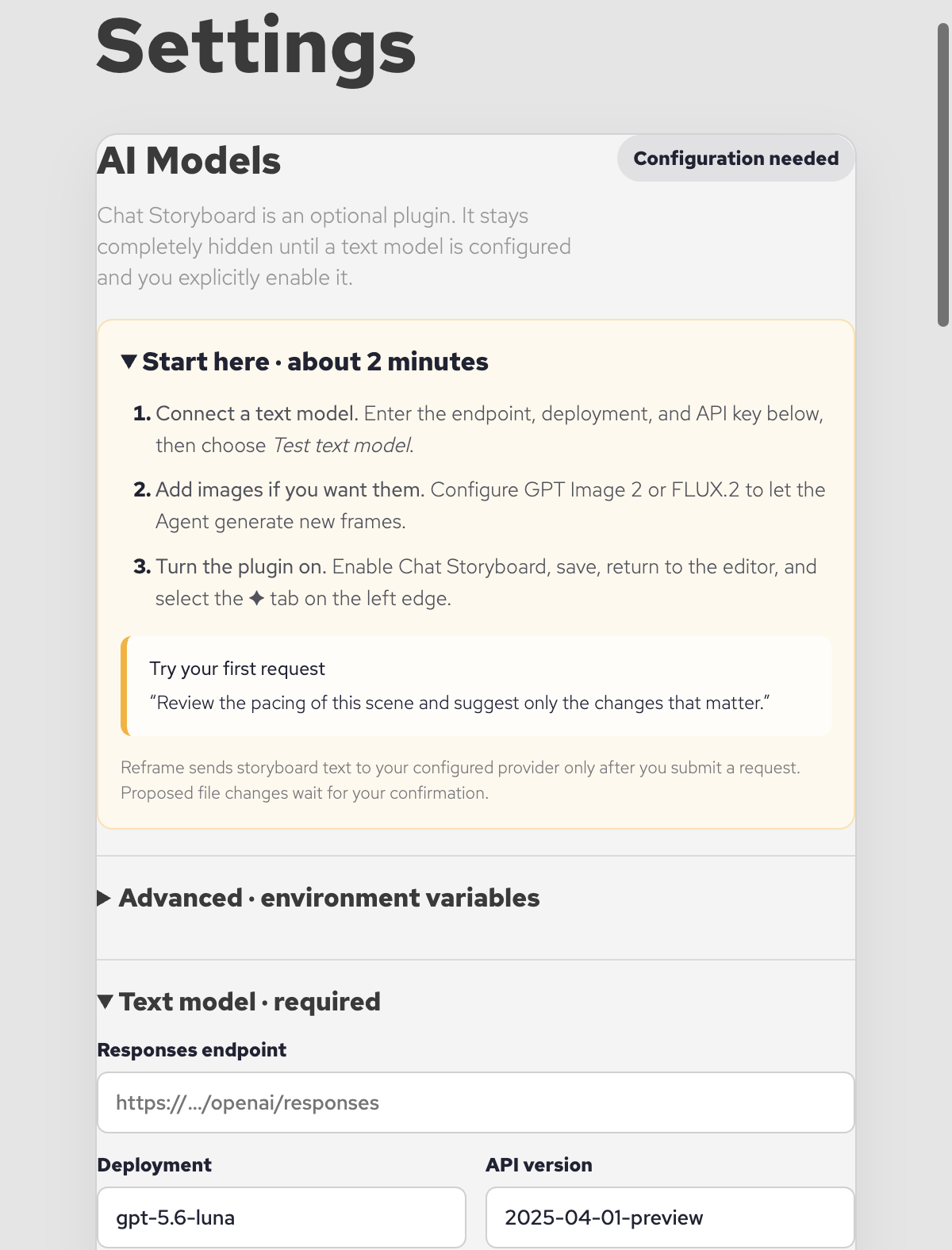
The setup screen keeps the required text model first and environment variables under an advanced disclosure.
Reframe's initial text configuration supports a GPT-5.6 deployment exposed through a Responses-compatible endpoint. The exact URL, deployment, API version, and credential come from your provider account—not from CineoBoard support.
| Field | What to enter |
|---|---|
| Responses endpoint | The HTTPS Responses API URL supplied by your model provider. |
| Deployment | The exact deployment or model name created in your provider account. |
| API version | The provider API version. Leave it empty only when your provider does not require one. |
| Authentication | Choose Azure API key or Bearer token to match your provider. |
| API key | Your private provider credential. Reframe encrypts saved keys locally. |
Image setup is optional. Without it, Chat Storyboard can still plan, review continuity, and propose text or metadata changes. Add one of these providers when you want new or transformed board images.
gpt-image-2Generation and provider-supported image editing.
flux-2-proHigh-quality generation through a configured FLUX endpoint.
flux-2-flexFlexible FLUX generation through your own deployment.
Configure an image-to-image endpoint only when your provider exposes a separate editing route. Always review generated artwork and your provider's usage terms before adding it to a production project.
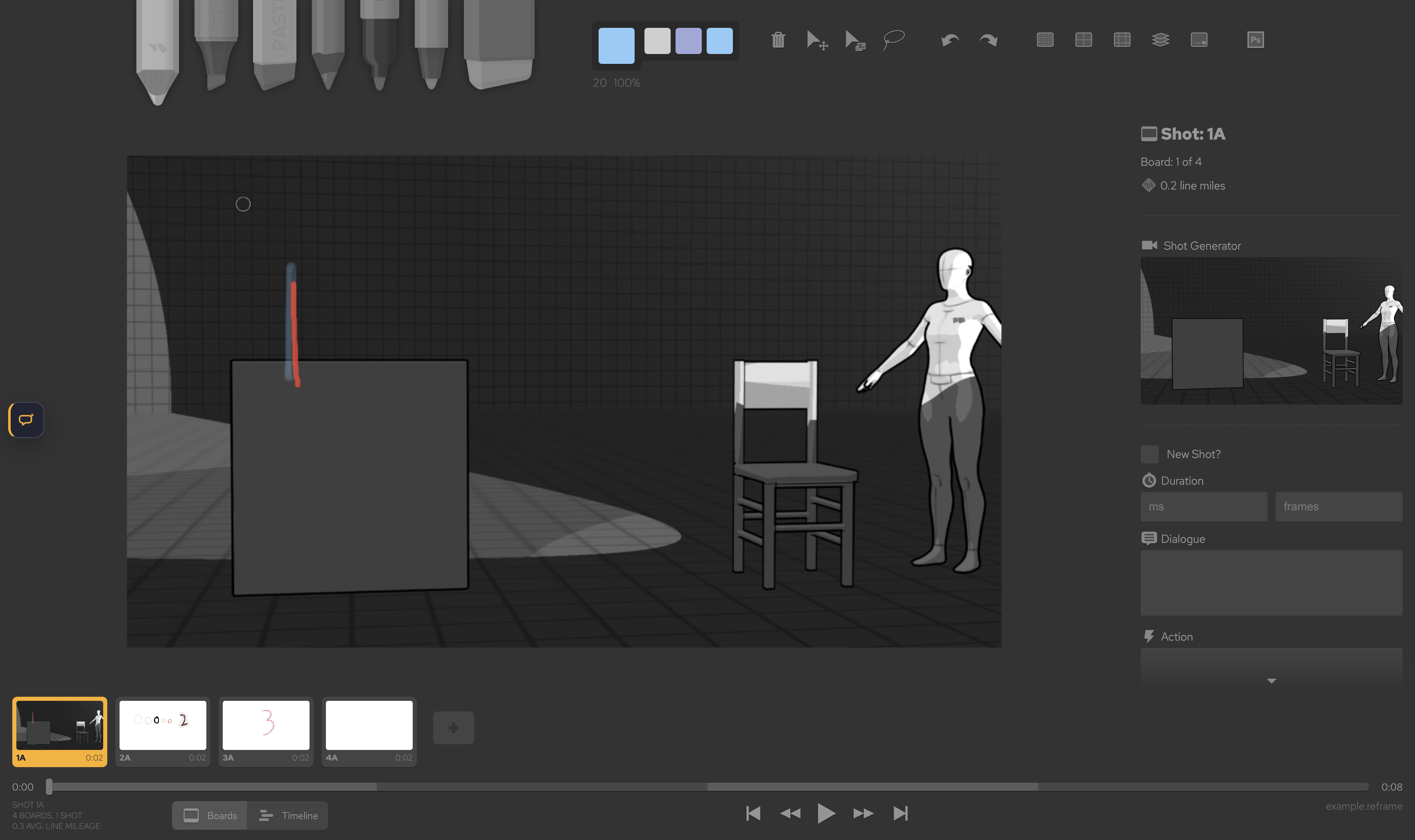
When configured and enabled, Chat Storyboard uses one compact button instead of a permanent rail. When the plugin is unavailable, the button is absent too.
Start narrow so the result is easy to judge. Mention the selected board, the decision you need, and whether you want analysis or a proposed project change.
“Review the pacing of this scene and suggest only the changes that matter.”
“Find visual-continuity risks between the selected board and the boards around it.”
“Rewrite the selected board's action in one concise, filmable sentence.”
“Prepare a new establishing-board proposal that matches this scene's visual direction.”
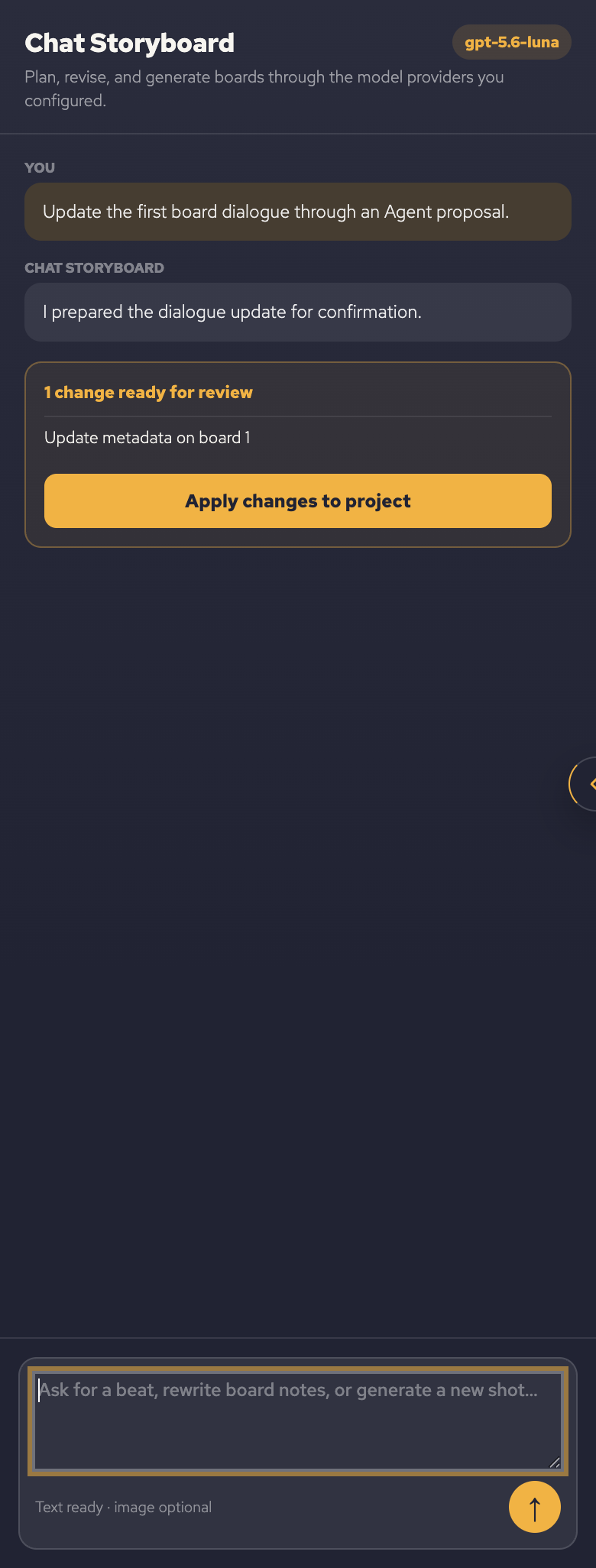
Chat Storyboard separates conversation from project mutation. Analysis appears as a normal response. A file-changing action appears in a clearly labelled review card with an Apply changes to project button.
Teams can provide provider settings from a controlled launcher or device-management system. Environment values override saved Settings values. Use placeholders in shared documentation; supply the real secret only on the user's device.
REFRAME_CHAT_STORYBOARD_TEXT_ENDPOINT=https://provider.example/openai/responses
REFRAME_CHAT_STORYBOARD_TEXT_DEPLOYMENT=your-deployment-name
REFRAME_CHAT_STORYBOARD_TEXT_API_VERSION=your-provider-api-version
REFRAME_CHAT_STORYBOARD_TEXT_AUTH_MODE=api-key
REFRAME_CHAT_STORYBOARD_TEXT_API_KEY=your-private-api-key
REFRAME_CHAT_STORYBOARD_ENABLED=1
Accepted activation values are 1, true, yes, and on. Image variables use the same prefix with IMAGE_PROVIDER, IMAGE_ENDPOINT, IMAGE_MODEL, and IMAGE_API_KEY.
Provider keys saved in Settings use the operating system's secure storage and are never shown back in the interface.
Reframe sends no Agent request while the plugin is off or while you are simply editing the board.
Only the storyboard context needed for the request is sent to the model provider you configured.
Proposed file changes stay pending until you explicitly apply them.
The editor keeps the feature completely hidden until a text endpoint, deployment, and API key are present and Enable Chat Storyboard plugin is turned on. Open Help → Chat Storyboard Setup…, test the text model, enable the plugin, and save.
No. A text model is enough for planning, scene review, dialogue and action changes, and other text-backed Agent work. Add an image provider only when you want the Agent to generate or transform frame images.
No. Any file-changing action appears as a review card. The storyboard changes only after you choose Apply changes to project, and normal Reframe undo and redo remain available.
Check the endpoint path, deployment name, API version, authentication type, network access, provider quota, and whether the key is allowed to use that deployment. Never email your API key to support.
Not reliably. For an ordinary Mac launch, use Reframe's encrypted Settings. Environment variables are intended for a controlled launcher or a device-management deployment.
The Agent is optional; the core board remains a fast local workspace. Draw with seven tools, keep artwork on layers, edit dialogue/action/notes, arrange boards on the filmstrip, and press Space to judge the cut.
Draw locally with the tool and layer controls.
Add dialogue, action, notes, timing, and shot details.
Arrange boards and review the cut from the filmstrip.
Print, export, or hand the project to editorial.
Use File → Print / PDF to set paper, orientation, grid, metadata, and notes with a live preview. Reframe can also deliver animated GIF, video animatic, image archives, and editorial handoff formats from the same project.
Still stuck?
Include Reframe 1.0.0, your operating system, provider name, and the error message. Never include an API key.