
CineoBoard
← All comparisons

Comparison

A Storyboard That Alternative You Can Test Without Sign-Up

Updated · 8 min read

Test the same six-shot scene in CineoBoard

No sign-up or card · 6 cells · watermarked PNG/PDF + editable JSON

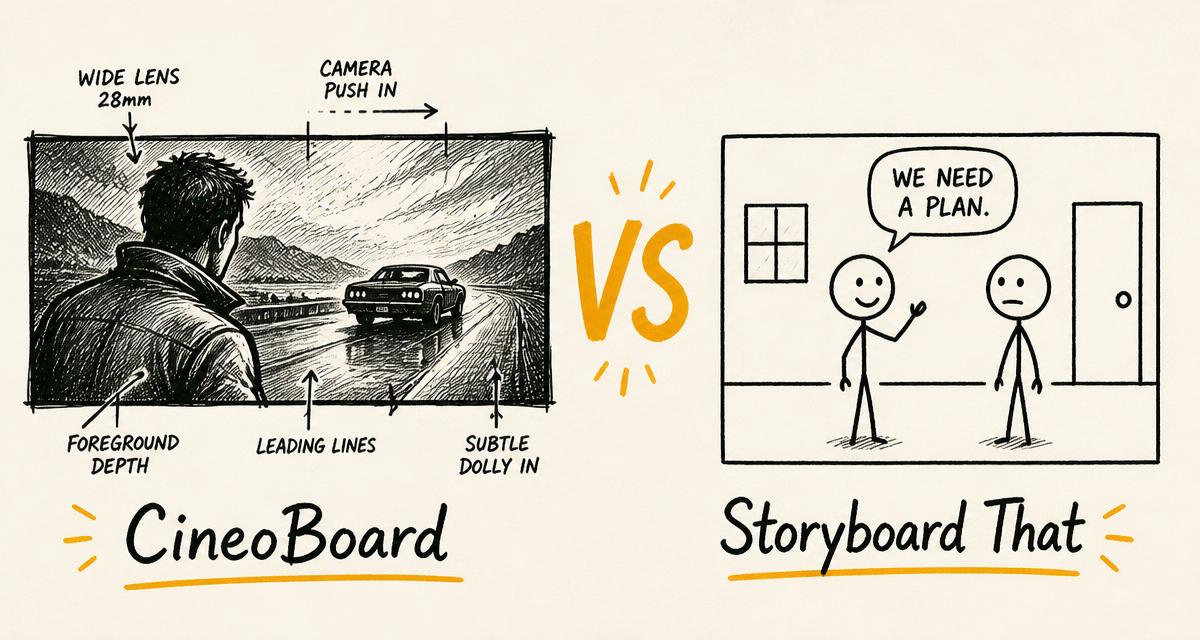
Hand-drawn storyboard-style cover comparing CineoBoard and Storyboard That

Compare CineoBoard with Storyboard That, then test the same six-cell scene without signing up. See honest differences in art, mobile editing, exports and pricing.

The verdict

Choose Storyboard That for its much larger customizable character library, education resources and classroom workflow. Choose CineoBoard Creator when you want to start a six-cell board free, then create on phone, iPad or desktop with per-cell shot size, camera overlays and editable JSON alongside PNG and PDF. CineoBoard does not yet match Storyboard That’s art-library depth.

Storyboard That: A drag-and-drop storyboard, comic and worksheet creator with a large customizable art library and an established education product. Visit their site

Feature by feature

Feature comparison between CineoBoard and Storyboard That
CapabilityCineoBoardStoryboard That
Free useUp to 6 cells with starter assets; no card to begin2 storyboards/week, 3 cells, 500 customizable images
Paid cell limitUp to 100 cells per boardUp to 100 cells per board
Individual introductory price$4.99 first 30 days, then $11.99/month$1 first month, then plans currently starting at $9.99/month
Phone creationResponsive editor for portrait and landscapeOfficial guidance does not recommend phones for creation
iPad creationTouch editor with canvas and properties kept reachableSupported; official guidance recommends adding a keyboard
Art libraryGrowing illustrated scenes, characters, items and specialist categories5,000+ customizable images plus access to millions of photos
Character posingThree layered character kits plus prepared pose imagesBroad character poser with detailed color customization
Layouts13 presets including cinema, book, timeline, chart and worksheetStoryboard, book, timeline, poster, worksheet, film and more
Film planning cuesShot size per cell and camera-overlay assets16:9 Film Storyboard Creator layout
DownloadsPNG, high-resolution PNG, PDF, JSON and printMultiple image, print, presentation and export options
Audio and image uploadsAvailable with full CreatorAvailable with premium Individual
Education workflowClassroom filter and visual layouts; no LMS or rosterTeacher, school and district products with lesson resources

Ready to compare the actual editing workflow?

Open the same six-shot coverage board. No account or card required.

Open the six-shot test
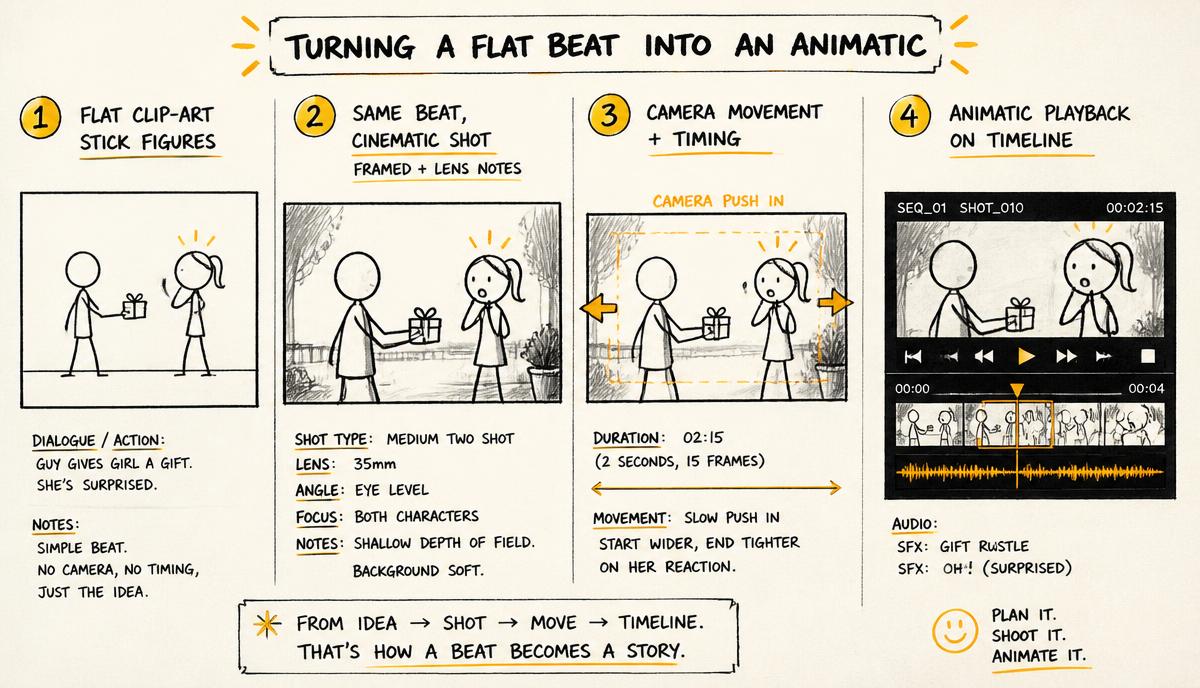
Hand-drawn panels comparing flat clip-art characters with cinematic framed shots and shot data

Test a free Storyboard That alternative with the same six-cell board

Open both editors and recreate one real scene: an establishing wide, a medium action, two close-ups, an over-the-shoulder and an insert. Time how long it takes to find the location, keep the same cast, mark shot size and export a readable PDF. That test exposes the difference more reliably than a feature count.

CineoBoard lets you start that six-cell test before signing in. Storyboard That also offers a limited free version. Neither requires you to choose from a marketing page alone.

Where Storyboard That remains stronger

Storyboard That has the deeper art system today. Its public pricing page advertises more than 5,000 customizable images and millions of photos, and its creator documentation shows broad pose, expression, clothing, hair and skin controls. CineoBoard’s current library is smaller, and most of its characters use prepared poses rather than the three fully layered kits.

Storyboard That also has a mature education product: lesson resources, teacher workflows and school plans. CineoBoard Creator has classroom-friendly layouts and a content filter, but it is not an LMS and does not claim district rostering or school compliance programs.

Where CineoBoard is the more practical alternative

CineoBoard’s strongest difference is device reach. Its library, canvas, object properties and export controls adapt to phone portrait, phone landscape, iPad and desktop. Storyboard That’s own requirements page says it runs best on a computer-like device, recommends a keyboard with iPad and does not recommend phone creation.

The editor also keeps film cues close to the picture: shot size is stored on each cell, and camera assets can show frames and movement ideas. JSON export gives you an editable board backup in addition to visual delivery files.

Free use and the real paid prices

CineoBoard lets you begin a six-cell board with starter assets without entering a card. Full Creator is $4.99 for the first 30 days and then $11.99 per month. Storyboard That currently advertises a lower individual introductory price and a lower starting renewal price, so compare the editor and device workflow as well as the subscription.

CineoBoard full access adds up to 100 cells, the complete current library, image upload and high-resolution exports without its watermark. Billing can be canceled at any time.

Official sources checked

Choose CineoBoard if

  • You need to create and revise the board on phone, iPad and desktop
  • You want per-cell shot size and camera overlays in a compact visual editor
  • You want an editable JSON backup in addition to PNG and PDF
  • Six cells are enough to test your real scene before subscribing

Choose Storyboard That if

  • You need the larger, deeply customizable art and character library
  • You are buying for a classroom, school or district workflow
  • You need its book, poster and education resource ecosystem

FAQs

What is the best Storyboard That alternative for a phone?

CineoBoard Creator is designed for creation on phone, iPad and desktop, while Storyboard That’s current device guidance does not recommend phones for creating storyboards. Test a six-cell board in both before moving a long project.

Does CineoBoard have as much art as Storyboard That?

No. Storyboard That currently has the larger and more customizable art library. CineoBoard focuses on a responsive editor, film-oriented cell cues and direct visual and JSON export.

Is CineoBoard a free Storyboard That alternative?

It is free to start: build and download a watermarked preview of a board with up to six cells and starter assets without an account or card. Full Creator is paid, and sign-in is required for cloud saving and sharing.

How much is CineoBoard Storyboard Creator?

Full Creator is $4.99 for the first 30 days, then $11.99 per month. It is separate from CineoBoard Workspace plans.

Test CineoBoard with your own six-cell scene

Start free with no card. Full Creator adds the complete current library, up to 100 cells, image uploads and unwatermarked HD exports for $4.99 for the first 30 days, then $11.99/month.

Review the free and paid limits on the Storyboard Creator pricing page.